Most people never think about the inside of their laptop until something goes wrong. But there's one service that quietly keeps a laptop fast, quiet and healthy, and almost nobody does it until the machine is already struggling: a thermal cleaning. It's the laptop equivalent of an oil change — a routine service that clears out the dust and refreshes the thermal paste before heat ever becomes a problem, and it makes a real, noticeable difference to how a laptop runs and how long it lasts.
Here's why it matters. Every laptop pulls air through its vents to stay cool, and along with that air comes dust, which gradually builds up inside the cooling system. In a place like Dubai, with fine dust in the air and air-conditioning running constantly, laptops collect it faster than you'd expect. At the same time, the thermal paste that carries heat away from the processor slowly dries out and loses its effectiveness. Neither happens overnight, so you don't notice the laptop getting slowly hotter, slightly louder, a little slower — until one day it's running hot all the time. A thermal cleaning resets all of that.
The maintenance that keeps a laptop running like new
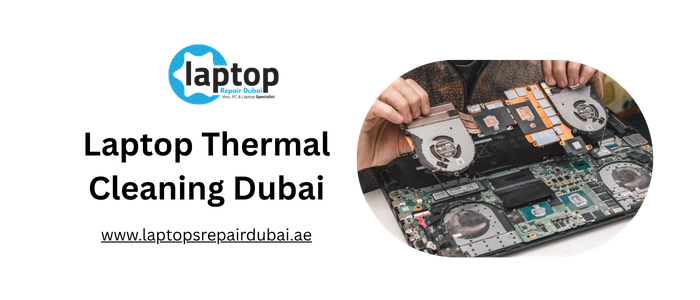
Laptops Repair Dubai does a proper thermal cleaning, not a quick blast of air. We fully open the laptop, remove the dust packed into the heatsink, fans and vents, replace the old thermal paste with fresh, high-quality compound, and refresh the thermal pads where the design uses them, so the cooling works as well as it did when the laptop was new.
This is maintenance, not a repair: it keeps a healthy laptop healthy and stops the slow slide into overheating before it starts. If your laptop is already running hot and shutting down, that's a job for overheating repair instead — we'll tell you which yours needs. Most thermal cleanings are finished the same day, and you can watch it on the bench.
What a thermal cleaning actually does, and why it's worth it
A thermal cleaning isn't just dusting; it's a full service of the cooling system. Inside every laptop, heat from the processor and graphics chip travels along copper heat pipes to a finned heatsink, where fans push air through and out of the vents. Thermal paste sits between the chips and the heat pipes to carry the heat across efficiently. Two things degrade this over time, and a thermal cleaning addresses both. The first is dust: it packs into the fine gaps between the heatsink fins and coats the fan blades, steadily choking the airflow. The second is the thermal paste, which dries and hardens over the years and stops transferring heat as well as it should. Clearing the dust restores the airflow, and replacing the paste restores the heat transfer, so together they bring the cooling back to full effectiveness.
The benefits are immediate. A freshly serviced laptop runs cooler, so the processor and graphics chip can run at full speed instead of slowing down to manage heat. The fans run quieter, because they no longer have to work overtime against a clogged heatsink. The keyboard and underside stay comfortable rather than hot. And the components last longer, because sustained heat is one of the main things that wears electronics out. A thermal cleaning is preventive care: it keeps a healthy laptop healthy and stops the slow slide into overheating before it starts.
How often is worth it? For most laptops, a thermal cleaning every one to two years keeps the cooling in good shape, and sooner if the laptop is used heavily, runs hot, or lives in a dusty environment. You don't have to wait for a problem — in fact, the whole point is to service the cooling before heat causes throttling, noise or shutdowns. If your laptop is already running hot and slowing down, that's a sign it's overdue, and we can service it the same day.
How thermal cleaning differs on a MacBook versus a Dell, HP or Lenovo
Apple MacBook
MacBooks have a compact cooling design, and they collect dust in their fans and vents just like any laptop, even though it's easy to assume a sleek machine stays clean inside. Intel MacBooks especially benefit from a thermal cleaning and fresh paste, since they run warm under load and the original paste degrades over the years. Apple silicon MacBooks run cooler, but the fans and heatsink still gather dust over time and still benefit from a service to keep them quiet and efficient. We open the MacBook carefully, clean the cooling system thoroughly, and apply fresh, high-quality thermal paste, so the machine stays cool and quiet without any overstatement about what the cleaning can do.
Dell, HP, Lenovo and the Windows world
Windows laptops span every kind of cooling, from a single small fan in an ultrabook to dual fans and large heatsinks in gaming machines, and all of them benefit from regular thermal cleaning. Everyday and business laptops from Dell, HP, Lenovo, ASUS and Acer tend to collect dust and dry out their paste within a couple of years, and a service brings them straight back to running cool and quiet. Gaming laptops — the ROG, Legion, Predator, Nitro and similar — run the hottest and gather the most heat over time, so they benefit most of all from a deep clean, fresh thermal paste and refreshed thermal pads on the memory and power components. We tailor the thermal cleaning to the machine, giving a gaming laptop the thorough service its powerful cooling needs and a slim ultrabook the careful clean and repaste that suits it.
Laptop thermal cleaning service and timing
A quick reference for the thermal cleaning service we offer. Most are completed the same day, and we confirm a written price after checking your model.
| Laptop type | Service | Typical turnaround | Price |
|---|---|---|---|
| Ultrabook or business laptop | Dust cleaning and fresh thermal paste | Same day, 2 to 3 hours | Request quote |
| Dell, HP, Lenovo, ASUS, Acer | Cooling service and repaste | Same day, 2 to 3 hours | Request quote |
| Gaming laptop | Deep clean, fresh paste and thermal pads | Same day, 2 to 4 hours | Request quote |
| Apple MacBook | Fan and heatsink clean and repaste | Same day, 2 to 4 hours | Request quote |
| Older or heavily used laptop | Full strip-down clean and repaste | Same day, 2 to 3 hours | Request quote |
| Other brands | Any laptop thermal cleaning service | Same day, 2 to 3 hours | Request quote |
How Laptops Repair Dubai carries out a thermal cleaning
It starts with a quick check of how the laptop is running, so there's a baseline to compare against. We note the current temperatures and how the fans are behaving, then open the laptop on an anti-static, ESD-protected bench, with the battery disconnected first and the correct teardown for your model. A proper thermal cleaning means reaching the cooling system fully, not poking at it through a vent.
With the cooling accessible, we clear out the dust properly — removing the build-up packed into the heatsink fins, cleaning the fan blades, and clearing the vents so air can flow freely again. This is real removal, not just blowing dust further inside. Next, we remove the old, dried thermal paste from the processor and graphics chip, clean the surfaces, and apply fresh, high-quality compound so heat transfers efficiently again, and refresh the thermal pads on the memory and power components where the design uses them. The whole cooling system is returned to working as it should.
Then we prove the service worked. After reassembly, we run the laptop and check the temperatures again, confirming they've come down and the fans are running quietly and correctly compared with the baseline at the start. The difference is something you can see rather than just take on trust. A thermal cleaning never touches your storage drive, so your data stays exactly as it is throughout.
Why Laptops Repair Dubai is Dubai's choice for thermal cleaning
- A real service, not a surface blow-through. We fully open the laptop, remove the dust properly, replace the thermal paste with fresh compound, and refresh the pads — which is what actually restores the cooling rather than shifting dust around.
- Before-and-after proof. We check temperatures and fan behaviour before and after, so you can see the cooling genuinely improved.
- Live service, in front of you, from the clean to the repaste to the temperature check.
- Quality thermal compound. We use high-quality paste and fresh pads, which is what gives a lasting result rather than one that fades in weeks.
- Every brand. Apple MacBook, Dell, HP, Lenovo, ASUS, Acer, MSI and more, from slim ultrabooks to high-heat gaming machines.
- Free pickup and delivery across Dubai, with no traffic and no waiting room.
- Data privacy guaranteed, and care taken with your machine at every step.