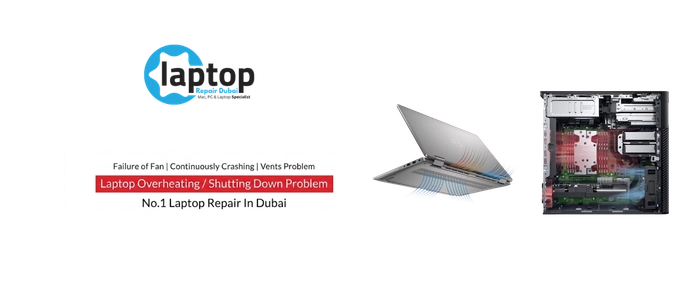
An overheating laptop tells you in several ways at once, and none of them are subtle. The fans run flat out and never settle. The keyboard and the underside get uncomfortably hot. Performance drops off a cliff, so a machine that was fast suddenly stutters, games lose frames, and video stalls. And in the worst cases it simply shuts itself off without warning, mid-task, to protect itself from the heat. In a climate like Dubai's, where ambient temperatures are already high, a laptop with a struggling cooling system reaches its limit faster and more often.
Heat is not just an annoyance; it's the thing that quietly wears a laptop out. When a laptop gets too hot, the processor and graphics chip deliberately slow themselves down to avoid damage — this is thermal throttling, and it means you're losing the performance you paid for every time the temperature climbs. Sustained heat also shortens the life of the components and can lead to the sudden shutdowns that risk your unsaved work. Treating overheating isn't optional maintenance; it's protecting both the speed and the lifespan of the machine.
When your laptop is too hot to work on
Laptops Repair Dubai fixes overheating at the cause, not the symptom. Rather than just blowing some air through a vent, we diagnose why the laptop is running hot.
We monitor temperatures under load, check fan behaviour, and find the real bottleneck in the cooling system — then fix it properly: clearing the clogged heatsink, replacing dried-out thermal paste, replacing a failing fan, and restoring the cooling to how it should perform. You can watch the before-and-after temperatures on the bench.
What actually causes a laptop to overheat
A laptop sheds heat through a specific system, and overheating happens when one part of it stops doing its job. The cooling works like this: heat from the processor and graphics chip is carried by copper heat pipes to a finned heatsink, and one or more fans blow air through those fins and out of the vents. Between the chips and the heat pipes sits thermal paste, a compound that fills the microscopic gaps so heat transfers efficiently. When any link in that chain weakens, heat builds up instead of escaping.
The most common cause is dust. Over months and years, dust packs into the heatsink fins and coats the fan blades, choking the airflow until barely any hot air can escape — a laptop that used to run cool and quiet but now runs hot and loud is almost always clogged. The second major cause is dried-out thermal paste. The paste between the chip and the heat pipe degrades over time and stops transferring heat well, so even with clean fans the chip runs hot; this is one of the most overlooked causes, and replacing it with fresh, high-quality compound often drops temperatures sharply. A failing fan is the third: bearings wear out, so the fan gets noisy, spins slowly, or stops altogether, and with reduced airflow the laptop overheats fast. Blocked vents, heavy sustained workloads, high ambient temperature, and occasionally malware running the processor hard round out the list.
The warning signs are clear once you know them: fans that run loud and constant, a hot keyboard or underside, performance that drops the longer you use the laptop, frame drops in games, fans that rattle or whine, hot air pouring from the vents, and the big one — sudden shutdowns under load. This is also why home fixes rarely last: blowing compressed air into a vent might shift some surface dust but won't clear a packed heatsink, replace degraded paste, or fix a worn fan, so the laptop is hot again within weeks. A proper overheating repair has to find and fix the actual failing part.
How overheating differs on a MacBook versus a Dell, HP or Lenovo
Apple MacBook
MacBooks run a compact, tightly engineered cooling system, and they're as prone to dust and dried paste as any laptop. Intel MacBooks in particular are known for running hot and throttling under sustained load, so when the fans are constantly loud or the machine slows during heavy work, a thorough clean and fresh high-quality thermal paste often make a noticeable difference. Apple silicon MacBooks run cooler by design, but they still collect dust in the fans and vents over time, and the fans and heatsink still benefit from servicing. We clean the cooling system, replace the thermal paste with quality compound, and address a failing fan where that's the cause, restoring a MacBook to running cool and quiet without overstating what the machine can do.
Dell, HP, Lenovo and the Windows world
Windows laptops cover a huge range of cooling designs, from single-fan ultrabooks to twin-fan gaming machines, and overheating shows up across all of them. Business and consumer laptops from Dell, HP, Lenovo, ASUS and Acer commonly overheat from clogged heatsinks and dried paste after a couple of years, and a clean and repaste brings them back. Gaming laptops are the hottest-running of all — the ROG, Legion, Predator, Nitro, TUF and similar — because their powerful processors and graphics chips generate serious heat, so they need the most attention: a deep clean, fresh thermal paste, and fresh thermal pads on the memory and power components. We match the cooling repair to the machine, giving a gaming laptop the thorough thermal service it needs and a slim ultrabook the appropriate clean and repaste, so each runs as cool as it was built to.
Laptop overheating repair service and timing
A quick reference for the overheating repairs we handle. Most are completed the same day, and we confirm a written price after diagnosis.
| Issue | Service | Typical turnaround | Price |
|---|---|---|---|
| Loud, constant fans | Deep clean and fresh thermal paste | Same day, 2 to 3 hours | Request quote |
| Sudden shutdowns under load | Thermal diagnosis, repaste, fan check | Same day, 2 to 4 hours | Request quote |
| Thermal throttling and frame drops | Repaste, thermal pads, cooling restore | Same day, 2 to 4 hours | Request quote |
| Fan not spinning or very noisy | Fan replacement | Same day, 2 to 3 hours | Request quote |
| Hot keyboard, hot underside | Deep clean and repaste | Same day, 2 to 3 hours | Request quote |
| Gaming laptop overheating | Repaste, thermal pads, fan, deep clean | Same day, 2 to 4 hours | Request quote |
How Laptops Repair Dubai diagnoses and repairs your overheating laptop
It starts with diagnosis, because overheating has several possible causes and the fix depends on which one you have. We monitor the processor and graphics temperatures while the laptop is under load, watch how the fans behave and whether they're reaching the right speed, and identify whether the machine is throttling. Opening the laptop, we inspect the heatsink and fans for dust, check the condition of the thermal paste, and use a thermal camera to see exactly where the heat is building up — pinning down whether the cause is a clogged heatsink, degraded paste, a failing fan, or a combination, before touching anything.
Once the cause is clear, we carry out the right repair: thoroughly cleaning the heatsink fins, fans and vents to restore proper airflow, not just a surface blow-through; removing the old, dried thermal paste and applying fresh, high-quality compound between the chips and the heat pipes so heat transfers efficiently again; and replacing the thermal pads on the memory and power components where the design uses them. Where a fan has failed, is noisy, or has worn bearings, we replace it. On high-heat gaming machines, we give the cooling the full thermal service it needs.
Nothing is handed back without proving the fix. We run the laptop under load again after the repair, monitor the temperatures to confirm they've dropped to where they should be, check the fans are running correctly and quietly, and verify the laptop no longer throttles or shuts down under the same load that caused the problem. The repair is judged stable under real use, not just at idle. A thermal repair doesn't touch your storage, so your data stays exactly as it is.
Why Laptops Repair Dubai is Dubai's choice for overheating repair
- The cause, not just the symptom. We diagnose why the laptop is overheating and fix the actual failing part — clogged heatsink, dried paste, or a worn fan — so the heat doesn't simply return.
- Real before-and-after proof. We monitor temperatures under load before and after the repair, so you can see the machine actually running cooler, not just hear a promise.
- Live repair, in front of you, from the clean to the repaste to the temperature test.
- Quality thermal compound and proper cleaning. We use high-quality paste and fresh pads and genuinely clear the cooling system, which is what produces a lasting drop in temperature.
- Every brand. Apple MacBook, Dell, HP, Lenovo, ASUS, Acer, MSI and more, from slim ultrabooks to high-heat gaming laptops.
- Free pickup and delivery across Dubai, with no traffic and no waiting room.
- Data privacy guaranteed, and a warranty on the work.