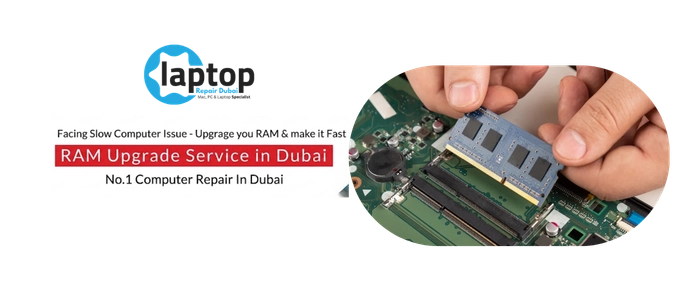
There's a particular kind of slow that isn't about an old processor or a tired hard drive. The laptop is fine on its own, but the moment you open a handful of browser tabs, a spreadsheet, a chat app and a video call at the same time, everything grinds. Switching between windows lags. The fan spins up. Programs freeze for a second before they respond. That's not a worn-out machine — that's a laptop running out of memory.
RAM is your laptop's short-term working space, the memory it uses to hold everything you have open right now. When you run more than it can fit, the laptop starts shuffling data back and forth to the much slower drive to cope, and that's the stutter and freeze you feel. Add more RAM and the laptop suddenly has room to breathe: more tabs, more programs, smoother multitasking, and no more crawling to a halt when you ask it to do two things at once.
When your laptop runs out of memory, not speed
Laptops Repair Dubai does RAM upgrades properly, which begins with checking what your specific laptop actually supports — because this is the upgrade where guessing causes the most wasted money.
We confirm the right memory type and speed for your machine, whether there's a free slot to add to or whether the existing memory needs replacing, and the maximum your laptop can take, then fit matched, compatible RAM the same day. You're welcome to watch it recognised and tested on the bench.
What RAM is, and why the type and amount matter
RAM upgrades go wrong when the wrong memory is fitted, so understanding what your laptop needs is the whole game. Laptop memory comes as small modules called SO-DIMMs, and they come in generations — DDR3, DDR4 and the newer DDR5 — which are not interchangeable; a laptop built for one generation won't take another. Within a generation there's also speed, measured in megahertz, and capacity per module. For the best performance, laptops run memory in dual channel, meaning two matched modules working together, so matching the type, speed and capacity correctly is what lets the upgrade actually deliver. Fitting mismatched or wrong-generation RAM either won't work at all or will run slower and less stably than it should.
There's also a ceiling. Every laptop has a maximum amount of RAM it can use, set by its processor and chipset, and there's no point fitting more than that. We check the maximum your specific model supports, how much is installed now, and how it's installed, so the upgrade is matched to what the machine can genuinely use. For most people, moving up to a comfortable amount transforms everyday multitasking; for heavier users running virtual machines, large creative projects or demanding games, a larger upgrade makes a real difference to how much the laptop can handle at once.
The signs you need more RAM are distinct from other slowness. If your laptop runs fine with one or two programs but bogs down the moment you open several, if it freezes while switching between heavy applications, if your memory usage sits near the top whenever you check it, or if certain software warns it's low on memory, those all point to RAM rather than the drive or the processor. We diagnose which is the real bottleneck before recommending anything, so you don't pay for memory when the issue is somewhere else.
How RAM upgrades differ on a MacBook versus a Dell, HP or Lenovo
Apple MacBook
MacBooks cannot have their RAM upgraded, and we'll always tell you that straight rather than take on a job that can't be done. On every Apple silicon MacBook the memory is unified and built into the chip, and on Intel MacBooks since around 2013 the RAM is soldered to the logic board — so in both cases the amount you bought is the amount you keep for the life of the machine. This is why Apple asks you to choose your memory at purchase. If you have a MacBook and it's struggling, we'll be honest that a RAM upgrade isn't possible, and help you understand whether the slowness is memory-related at all or something else that can be addressed, like storage or thermal throttling.
Dell, HP, Lenovo and the Windows world
Windows laptops are where most RAM upgrades happen, and many are very upgrade-friendly. Business machines like the ThinkPad, Latitude and EliteBook frequently have one or two accessible SO-DIMM slots, gaming laptops almost always have upgradeable memory, and a lot of consumer models like the Inspiron, Pavilion, IdeaPad, VivoBook and Aspire can be upgraded too. Some laptops have two free slots, some have one module fitted and one spare, and some have a single slot, which changes whether we add memory or replace it to reach the capacity you want. The important exception is that many thin and light ultrabooks now solder their memory — often the low-power LPDDR type, exactly like a MacBook — so those can't be upgraded either. We check your exact model first to see whether the RAM is socketed or soldered, how many slots there are, and what's free, and tell you honestly what's possible before any work.
Laptop RAM upgrade service and timing
A quick reference for the RAM upgrades we handle. Most upgrades are completed the same day, and we confirm a written price after checking your model.
| RAM type or brand | Upgrade service | Capacity options | Fitting time | Price |
|---|---|---|---|---|
| DDR4 SO-DIMM | Laptop RAM upgrade | 8GB to 64GB | 1 to 2 hours | Request quote |
| DDR5 SO-DIMM | Laptop RAM upgrade | 8GB to 64GB and up | 1 to 2 hours | Request quote |
| DDR3 SO-DIMM | RAM upgrade for older laptops | up to 16GB | 1 to 2 hours | Request quote |
| Dell, HP, Lenovo, ASUS, Acer | Brand laptop RAM upgrade | up to model maximum | 1 to 2 hours | Request quote |
| Gaming laptops | High-capacity RAM upgrade | up to 64GB and up | 1 to 2 hours | Request quote |
| Other brands | Any laptop RAM upgrade | up to model maximum | 1 to 2 hours | Request quote |
How Laptops Repair Dubai upgrades your laptop's RAM
It begins with diagnosis, not just fitting memory. We confirm your exact model, check how much RAM is installed and how it's configured, identify the correct generation and speed your laptop uses, see whether there's a free slot to add to or whether the memory needs replacing, and confirm the maximum your machine supports. This is also where we tell you honestly if your laptop has soldered memory that can't be upgraded, and whether RAM is even the cause of the slowness you're seeing, so you never pay for an upgrade that won't help.
Once the right memory is confirmed, the fitting is done on an anti-static, ESD-protected bench, with the battery disconnected first and the correct teardown for your model. Static is the enemy of memory modules, so we handle them correctly to protect both the new RAM and your laptop, installing matched, compatible modules and seating them properly so they're recognised reliably.
Nothing is handed back without testing. We confirm the full amount of RAM is recognised in the laptop's firmware and operating system, check that it's running in dual channel where two modules are fitted, and run a memory test to be sure the new RAM is stable — not just present. A RAM upgrade never touches your storage drive, so your files stay exactly as they are throughout.
Why Laptops Repair Dubai is Dubai's choice for RAM upgrades
- Honest advice on what fits. We check your exact model and tell you the truth, including when a MacBook or ultrabook has soldered memory that can't be upgraded, so you never pay for the impossible.
- The right diagnosis first. We confirm RAM is actually the bottleneck rather than the drive, software or thermals, so the upgrade solves the problem you're having.
- Matched, compatible memory. We fit the correct generation, speed and capacity and confirm it runs in dual channel, so you get the performance the upgrade should deliver.
- Live upgrade, in front of you, recognised and tested on the bench.
- Every brand. Apple MacBook (where applicable), Dell, HP, Lenovo, ASUS, Acer, MSI and more, from business laptops to gaming machines.
- Free pickup and delivery across Dubai, with no traffic and no waiting room.
- Data privacy guaranteed, and a warranty on the work and the memory.